Work Brain
An intelligence layer for recollecting, organizing, and maintaining work-related thoughts, notes, and events.
We deal with a lot of tasks every day, both personally and professionally. This project mostly deals with the latter.
It is another task in itself to keep a record of who said what and when, maintain action items across the week, remember product decisions, roadmap planning, PRDs, and much more. Some of those important notes, reminders, and todos are spread across slack messages, meeting notes, personal note-taking apps, and bookmarks.
How do we handle them today?
We scroll through slack, dig through transcripts, read related emails, and most importantly ask colleagues:
"Hey, do you remember this thing?"
It is not just time-consuming - it also creates a high cognitive load.
So I built a tiny CLI-based app using Claude Code skills to capture all my notes, meetings, agendas, and todos so I can recollect them whenever I want by directly asking Claude in the terminal.
How does this make it efficient?
Claude has the ability to create folders and is great at writing Markdown files. Leveraging this ability, I integrated it with an Obsidian vault — a brilliant note-taking application with graph-like visualization of thoughts and ideas. It is fully local and uses folders and Markdown files.
I structured my Obsidian folder structure such that it includes:
- daily logs
- a people folder (to fetch information based on names)
- actions
- projects
Claude skills are prompted in a way that it can create associations between events and people.
Here are some of the commands and how they look:
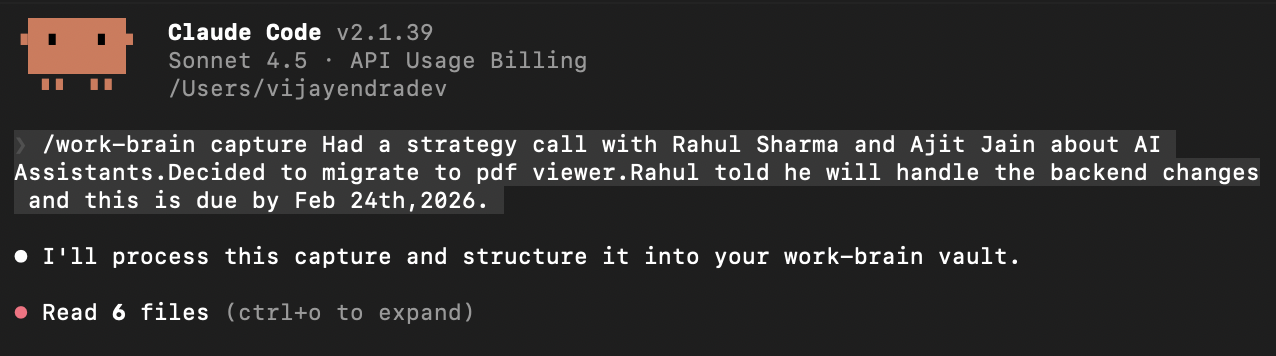
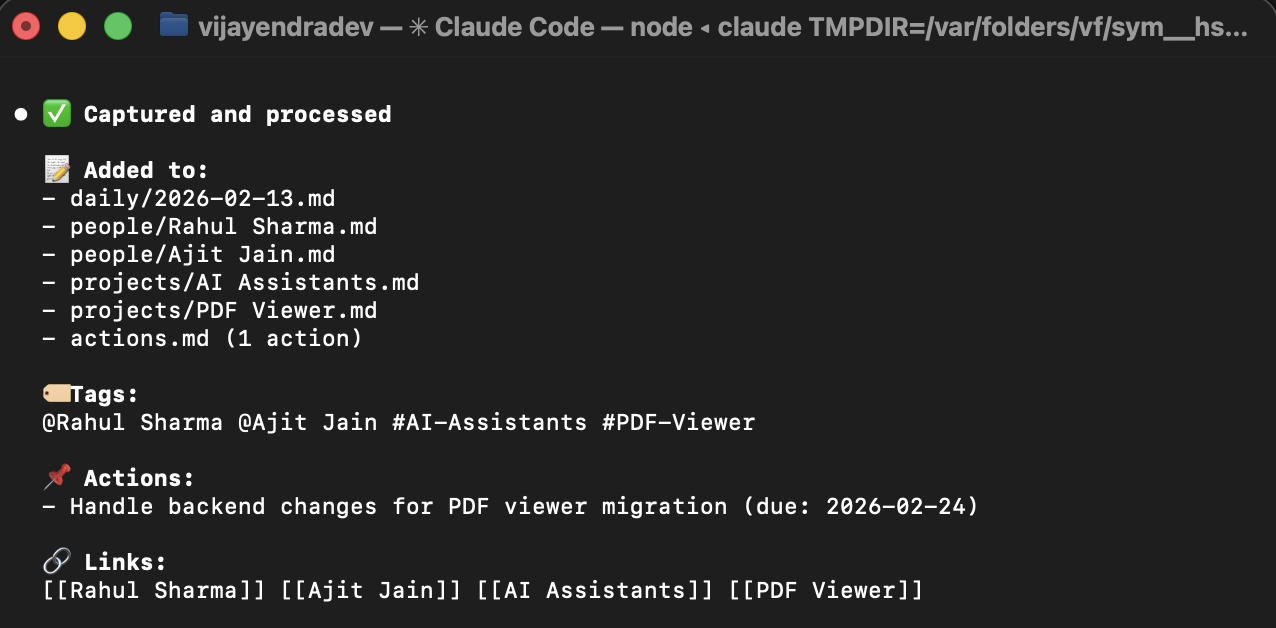
- /capture
Had a strategy call with Rahul Sharma and Ajit Jain about AI Assistants. Decided to migrate to a PDF viewer. Rahul will handle backend changes due by Feb 24th, 2026.
Claude creates personas, attaches events, and adds tags for faster retrieval.
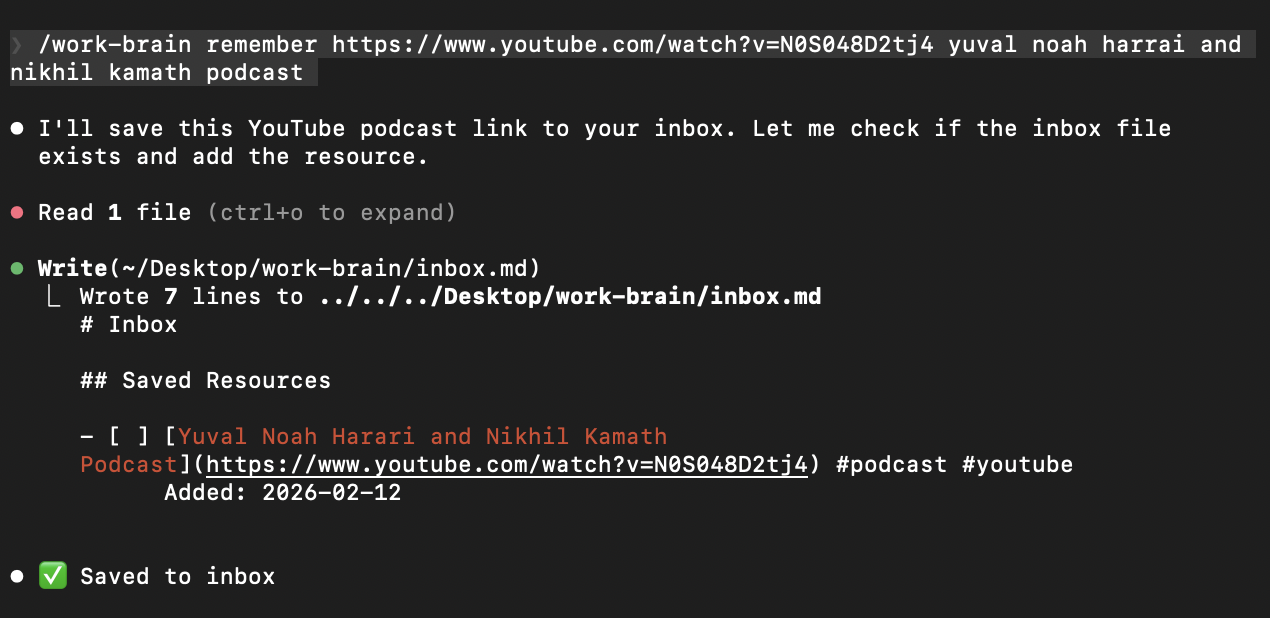
- /remember
For links or articles that need to be saved and revisited later:
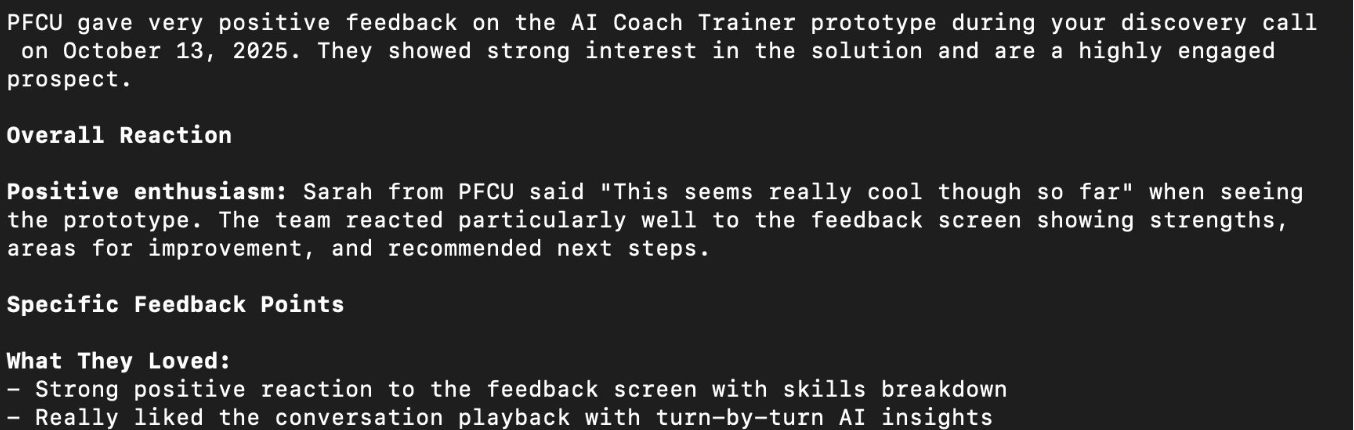
- /ask
Ask for anything inside the vault or memory bank.

There are a couple more commands that can obviously be scaled to personal preference.
If you are still reading, you might wonder:
"What about Slack channels?"
The answer is MCP.
Using Slack’s official MCP (configured via Create Apps → OAuth → Claude command with auth key), Claude can read Slack conversations. Similarly, Gmail MCP can be used for emails.
Using Google Workspace, meeting transcripts are automatically shared in Google Drive. The official Google Drive MCP can later access them as well. Since I do not rely heavily on this workflow yet, I kept it outside the project scope.
The main purpose of this project was learning how to implement Claude skills and MCP integrations while solving an actual problem.